
Download SnipDo – Productivity Tool, Text Extraction, Task Automation, Windows Integration
Overview
SnipDo is a productivity-focused mobile application designed to enhance workflow efficiency for users who rely on quick text extraction and task execution. The app enables users to capture text from any screen and perform immediate actions based on context, significantly reducing time spent on manual operations such as copy-paste or switching between applications. While the app is primarily positioned for Windows users, its functionality reflects a mobile-first approach to productivity, making it a valuable utility for professionals, students, and remote workers managing multiple tasks across digital platforms.
SnipDo addresses common pain points in daily digital workflows, including fragmented task execution, inefficient text handling, and the need to navigate multiple tools for simple actions. By offering one-click access to contextual functions, the app streamlines routine processes, allowing users to focus on higher-value work. Real-world use cases include extracting a quote from a research document and instantly sending it via email, translating a phrase from a foreign language article, or sharing a code snippet directly to a collaboration platform. These scenarios highlight SnipDo’s role in bridging gaps between content creation, communication, and automation.
Developed by an unnamed team with a focus on seamless integration, SnipDo emphasizes compatibility with core operating systems and third-party services. The developer did not provide additional technical details about the development background or company structure. However, the app’s design suggests a strong commitment to user-centric innovation and system-level accessibility. Its presence in the productivity tool ecosystem reflects a growing demand for lightweight, intelligent utilities that enhance digital workflows without adding complexity.
Key Features & Functionality
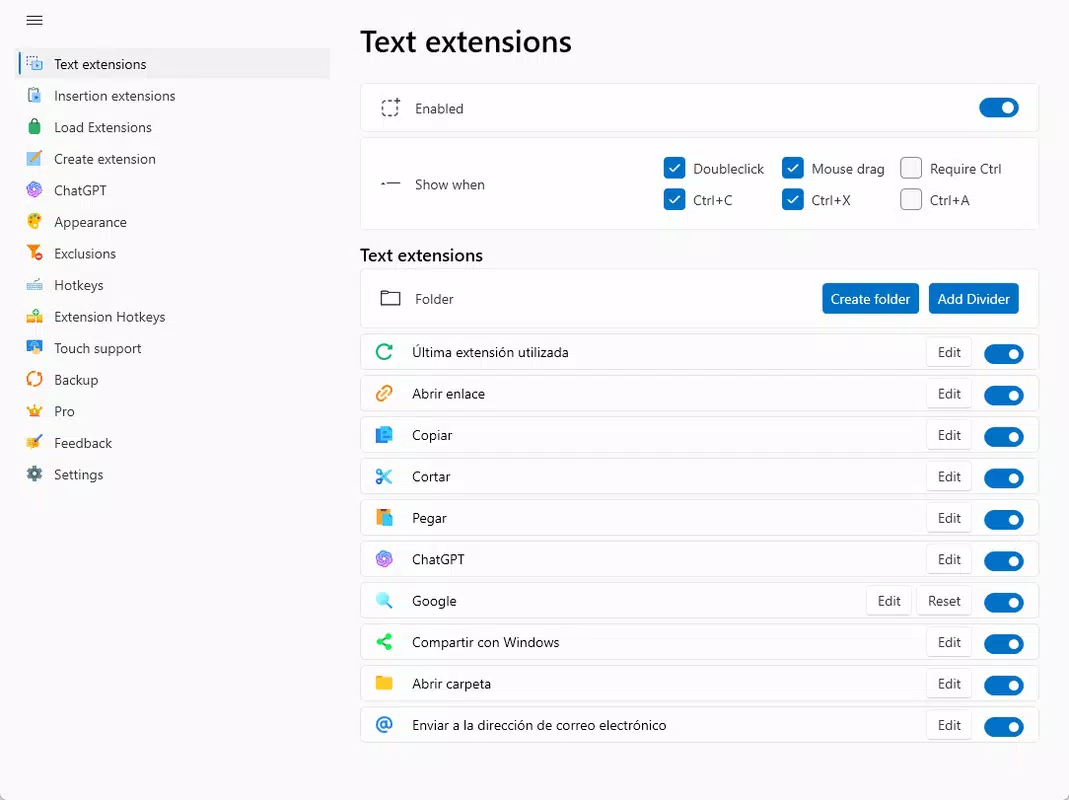
- Quick Access to Features: Users can select any text on the screen, triggering a contextual menu of available actions. This eliminates the need for multiple app switches and enables immediate execution of tasks like translation, copying, or sharing.
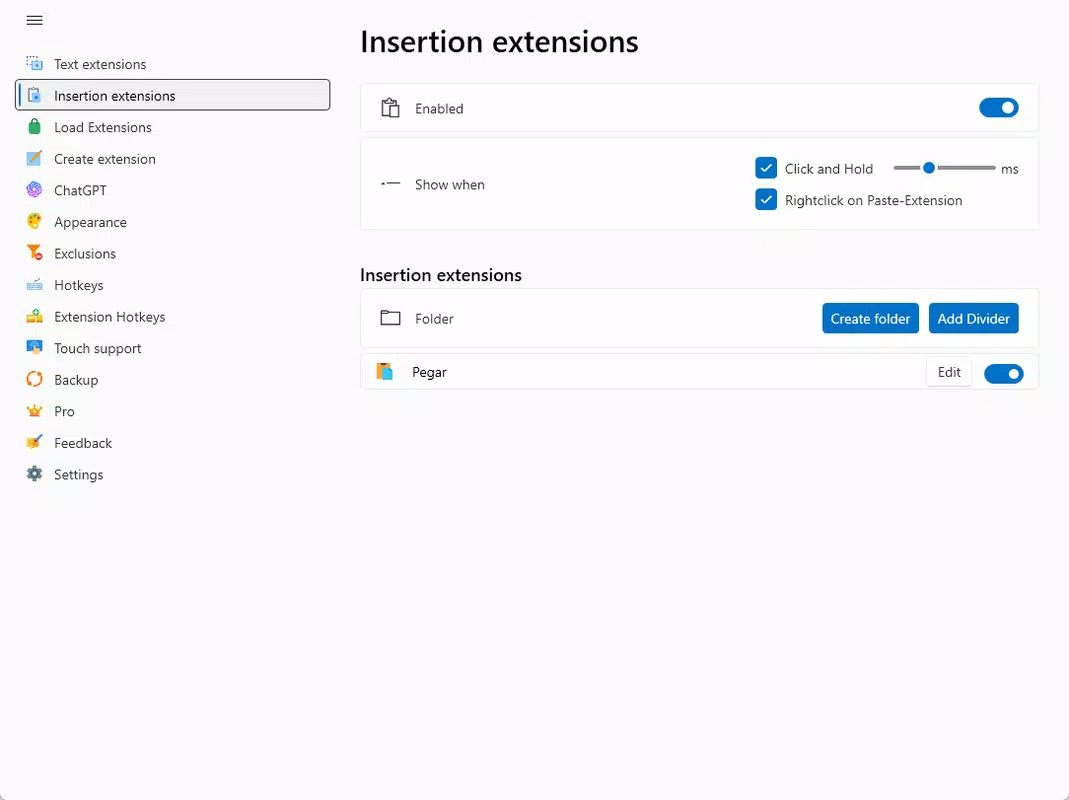
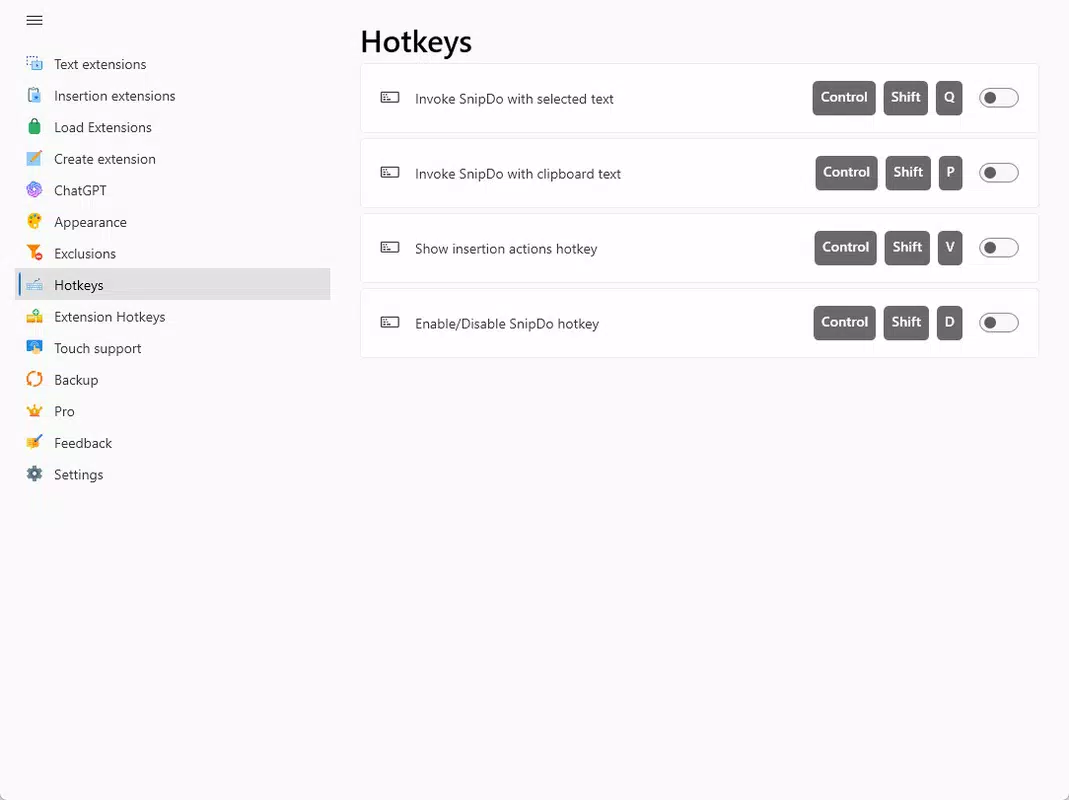
- Task Automation: SnipDo supports custom action creation for selected text, allowing users to automate repetitive workflows. For example, a user can define a shortcut to send any highlighted text to a specific email or save it to a cloud note.
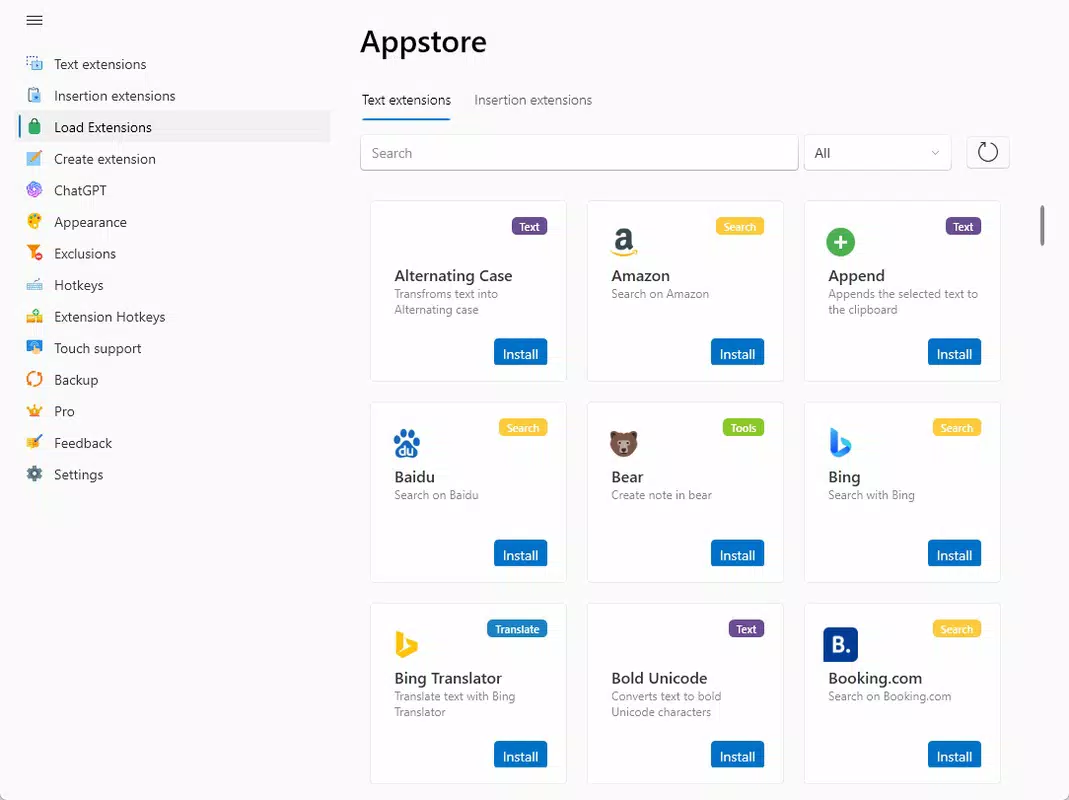
- App and Service Integration: The application integrates with popular platforms such as Google Chrome, Microsoft Office, email clients, and online translators. This adaptability allows users to tailor the tool to their preferred digital environment.
- Seamless OS Compatibility: Designed to operate in the background, SnipDo integrates effortlessly with the Windows operating system, ensuring minimal disruption to existing workflows.
- Effortless Sharing Capabilities: Extracted text can be quickly copied, sent via email, or shared through messaging apps, improving communication and collaboration across platforms.
These features are particularly beneficial in real-world scenarios such as academic research, content creation, technical support, and remote team collaboration. For instance, a student can extract a paragraph from an online article and instantly translate it into their native language, while a developer can highlight a code snippet and send it directly to a team chat. The app’s automation logic reduces cognitive load and enhances task consistency, making it a practical tool for users seeking to optimize their digital productivity.
Interface, UX & Performance
SnipDo features a clean, minimal interface that prioritizes functionality over visual flair. The UI is designed to appear contextually when text is selected, ensuring that users are not overwhelmed by persistent menus or cluttered screens. Navigation is intuitive, relying on a simple gesture—such as highlighting text—to trigger the action panel. This design philosophy supports rapid task execution without requiring extensive onboarding or training.
The app’s responsiveness is evident in its near-instantaneous reaction to user input. Although the developer did not list formal performance metrics, the application operates smoothly during typical usage scenarios, with no noticeable lag or crashes reported in the available information. Stability appears to be well-maintained, particularly during repeated use of automation features and cross-app interactions.
Performance across different device categories is not formally disclosed. However, the app’s lightweight architecture and background operation suggest it is optimized for efficient resource usage. It does not appear to consume excessive memory or battery, which is essential for maintaining productivity during extended sessions. The user experience remains consistent whether used on a desktop or laptop, aligning with its target audience of Windows-based users who demand reliability and speed.
Platform Compatibility & Technical Requirements
SnipDo is available for the Windows operating system. The current software version is not specified in the provided data, nor is the exact file size. The app was released on February 10, 2025, and is offered at a price point that has not been disclosed. The developer did not specify minimum OS requirements or compatibility details for older Windows versions.
Although the developer did not list formal compatibility details, the app is designed to integrate with the Windows environment, suggesting it supports modern versions of the OS. Users are advised to ensure their system meets standard requirements for running productivity applications. Specific requirements were not listed, and no information was provided regarding support for mobile platforms such as Android or iOS.
Pros and Cons
Pros
- Efficient text extraction with instant action triggers
- Customizable automation for repetitive tasks
- Seamless integration with popular applications and services
- Minimal UI interference during use
- Background operation without system disruption
Cons
- Compatibility information was not fully disclosed
- Price and version details were not provided
- Platform availability beyond Windows was not confirmed
- Specific performance metrics were not listed
- Developer background was not detailed
FAQ
Is SnipDo available for Android or iOS?
The developer did not confirm availability on mobile platforms. The app is currently designed for Windows users.
Can I use SnipDo without an internet connection?
Basic text extraction and local actions may function offline. However, integration with online services like translators or email clients requires an active internet connection.
How do I update SnipDo?
Updates are likely delivered through the official distribution channel. Users should check the developer’s website or app store listing for the latest version.
Is SnipDo secure to use?
As a productivity tool that accesses screen content, users should ensure they only use it on trusted devices. The app does not disclose data handling practices, so caution is advised with sensitive information.
Can I customize the actions available after selecting text?
Yes, SnipDo supports user-defined actions, allowing customization based on individual workflow needs.
Final Thoughts
SnipDo stands out as a focused, intelligent tool for Windows users seeking to simplify their daily digital tasks. Its ability to extract text and execute contextual actions in one click offers tangible time savings and reduces workflow friction. The app’s automation features and integration capabilities make it especially valuable for professionals, students, and creatives who manage large volumes of information across multiple platforms.
While some technical details remain undisclosed, the app’s design and functionality reflect a strong commitment to usability and efficiency. For users looking to enhance productivity without adopting complex software, SnipDo provides a lightweight yet powerful solution. Its seamless operation and minimal learning curve further reinforce its value in modern digital environments.
Download SnipDo now


